Gig Worker Mileage & Tax Tracker
Google Sheets + Excel · $9 one-time
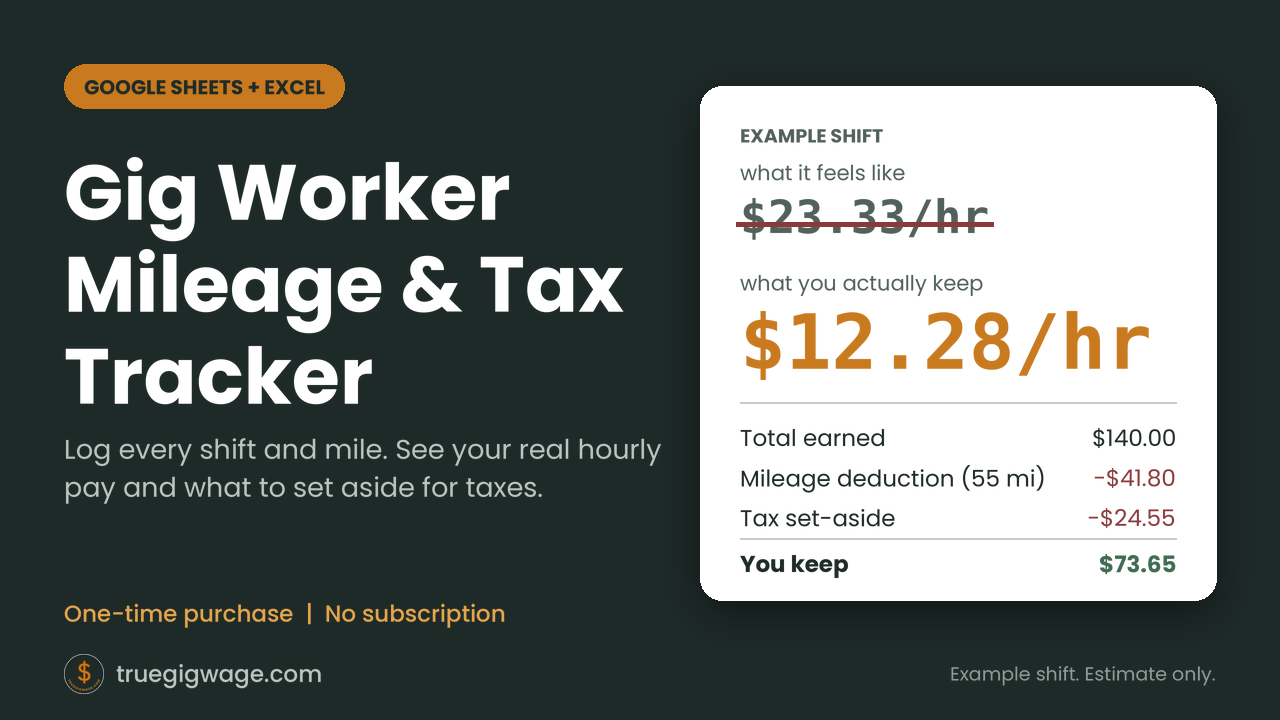
The calculators on this site are free and look at one shift. This tracker is a separate paid download for people who want to log every shift: it applies the right IRS mileage rate by date, shows your real hourly pay, and suggests what to set aside for each quarterly payment.
What you get
- A Google Sheets template you copy to your own account (a free Google account is enough)
- An Excel (.xlsx) version of the same tracker, as a bonus
- A short PDF guide with your copy link and a one-minute quick start
- Formulas ready for 500 shifts, with formula cells protected from accidental edits
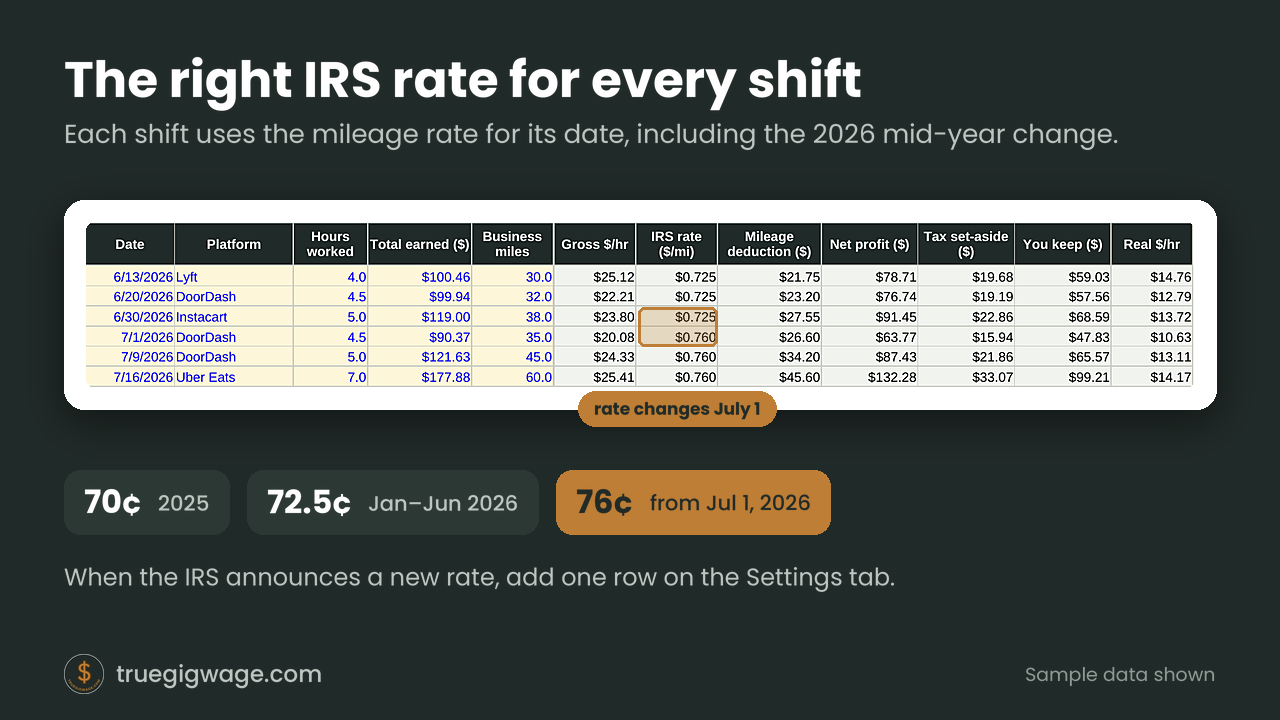
- IRS mileage rates for 2025 and 2026, including the July 1, 2026 change from 72.5¢ to 76¢, applied to each shift by its date
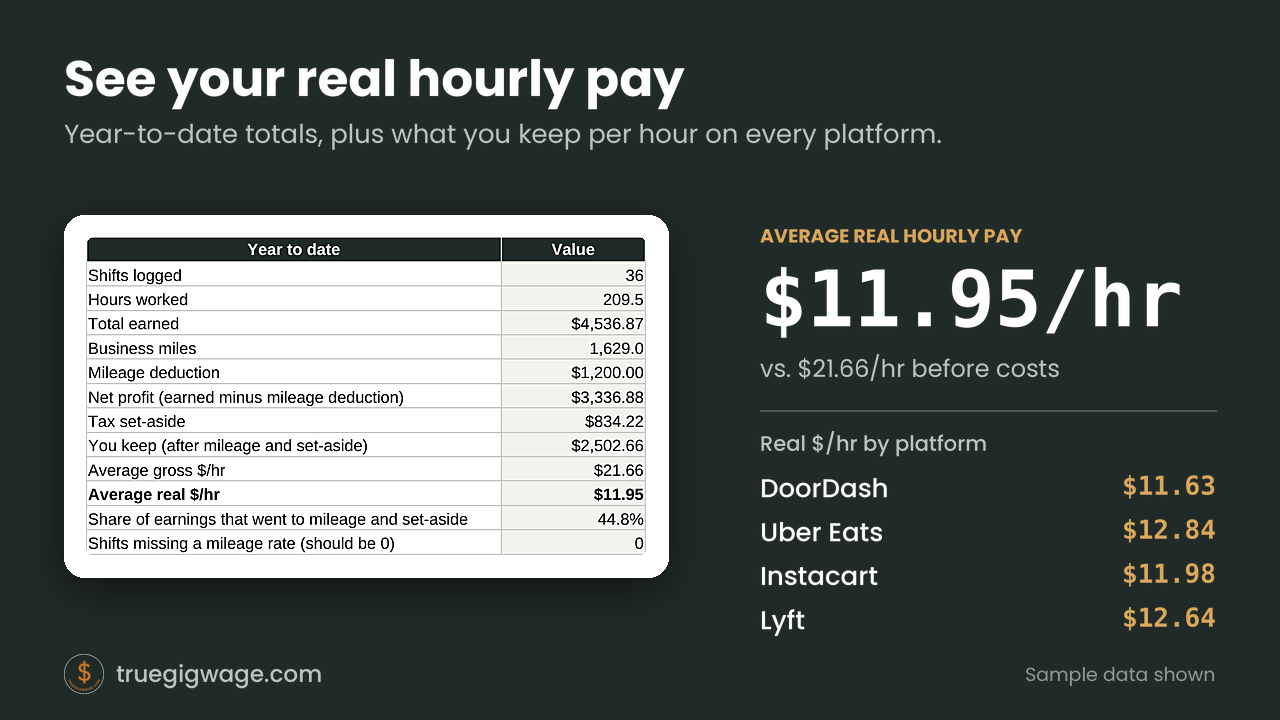
- Real hourly pay after mileage and tax set-aside, shown by platform
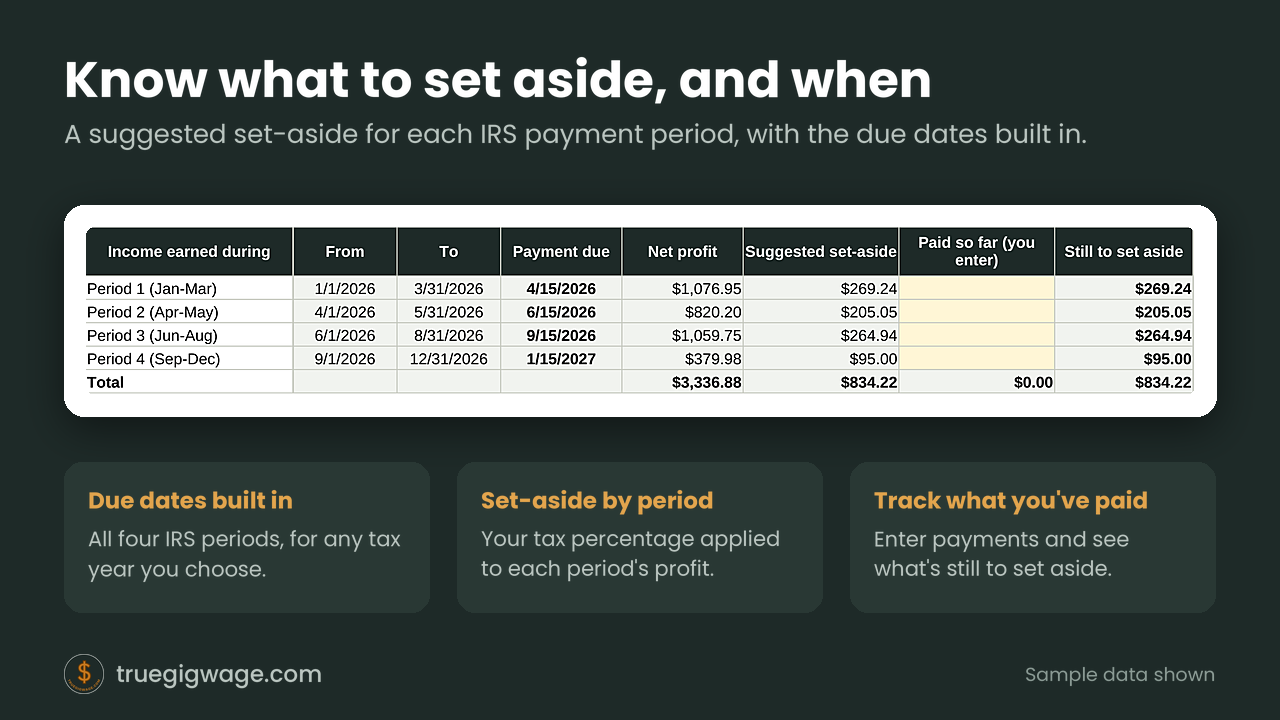
- Quarterly set-aside for each IRS payment period, with due dates built in and a place to enter what you've paid
How it works
- Make your copy. Open the link in the PDF to copy the Google Sheet to your account, or open the Excel file.
- Log each shift. Enter the date, platform, hours, what you earned, and your business miles.
- See the result. The sheet applies the mileage rate for that date, works out your real hourly pay, and totals your suggested set-aside by period.
What it looks like
Who it's for, and what it isn't
It's for gig drivers and delivery workers who want one simple place to log shifts and miles through the year. Be aware of what it doesn't do:
- No GPS. You enter your miles yourself; nothing tracks your location.
- It's not tax software. It doesn't file anything. The set-aside is a percentage you choose, applied to your profit, and not a tax calculation.
- Estimates only. Your actual deductions and taxes depend on your full situation. Check with a tax professional or the IRS.
Questions
Do I need Excel?
No. The main version is a Google Sheet that you copy to your own free Google account. The Excel file is included as a bonus.
Does it track my miles automatically?
No. You enter your business miles for each shift. That keeps it private and simple.
Will it work for my platform?
It works for any gig platform because you enter the platform name for each shift. The summary shows real hourly pay by platform.
Which years does it cover?
IRS mileage rates for 2025 and 2026 are built in. When the IRS announces a new rate, you add one row on the Settings tab.
Is it a subscription?
No. It's a one-time $9 purchase.
What about refunds?
Because the files are delivered instantly as a digital download, all sales are final. If you have a question before you buy, email hello@truegigwage.com.